
Your everyday line is about to start collecting things.
Delivery pings, OTPs, marketing messages, one-off chats with a vendor you will never speak to again.
Left alone, that becomes a second phone buzzing in your pocket all day.
Which would defeat the entire point.
The trick is to set it up so it never actually bothers you.
You pull what you need from it, and it does not push at you.
How do I stop it buzzing?
Mute the whole account.
You genuinely do not need this line pinging you through the day.
Mute it, and check it only when you are expecting something, like an OTP or a delivery update.
This one change does most of the work.
The line becomes a drawer you open when you need it, rather than a person tapping your shoulder.
How do I keep it from filling up?
Turn on disappearing messages.
Set the default timer to 24 hours, at Settings -> Privacy -> Default message timer.
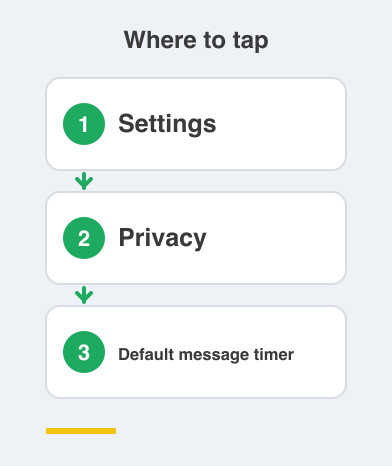
Disappearing messages simply delete themselves after the time you choose.
OTPs, delivery updates and one-off chats then clean themselves up.
No clutter, no old codes lying around, nothing to delete by hand.
Then archive anything finished.
Done with a conversation? Archive it.
It drops out of your main list and stays quiet, so your everyday inbox stays nearly empty.
Should I save these contacts?
No, and this is the habit most people get wrong.
Leave delivery folks, vendors and one-time numbers unsaved.
There is no point cluttering your address book with people you will never message again.
An address book full of half-remembered vendors is how contact lists become useless.
If you truly need someone again, the chat is still there to search.
What about OTPs?
Let them just land.
You do not need an alert for every code that arrives.
When you need one, open the app and grab it.
Chasing every notification is exactly what makes a second number feel like a burden instead of a relief.
Put all five settings together and you get a line that silently soaks up the noise, cleans up after itself, and only gets your attention when you decide to give it.
Peaceful.
Next comes locking down what this everyday number shows about you.
Things to Remember
- Mute the entire everyday account and check it on your own schedule.
- Set Settings -> Privacy -> Default message timer to 24 hours.
- Archive every conversation the moment it is finished.
- Don't save delivery folks, vendors or one-time numbers.
- Let OTPs land quietly and fetch them only when you need them.