
A new client messages you, and before they type a word they tap your name.
Whatever they see there is your shopfront.
A blank profile looks amateur, and a complete one builds instant trust.
Spend ten minutes here and it pays off every single time someone new messages you.
What exactly should I fill in?
All of it, and there are six things.
- Logo — set your business logo as the profile photo, because it is your face to every new contact.
- Description — one clear line on what you do, such as "Smart home and security solutions, Mumbai".
- Business hours — so clients know when to expect a reply, and you are not always on.
- Address or service area — a map pin if you have a shop, or the areas you cover.
- Email and website — make it easy for people to reach you or check you out.
- Catalogue — a few key products or services with prices.
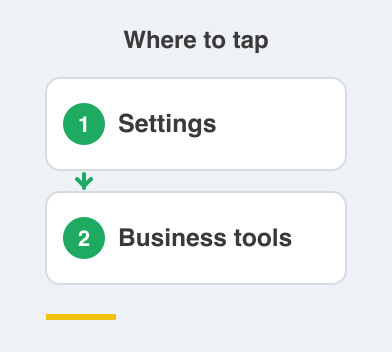
You will find all of this under Settings -> Business tools in the app.
Why does the catalogue matter so much?
Because it answers the question everyone is too shy to ask first.
What do you sell, and what does it cost?
With a catalogue, clients browse without messaging you at all.
You stop typing out the same price list again and again.
Even a few items is enough to start, so do not wait until you have photographed everything.
Do business hours really help?
They help both sides, which is why they are worth setting honestly.
The client knows a reply is coming tomorrow morning rather than wondering if you have vanished.
And you get a boundary that is stated up front, so you are not always on.
Nobody thinks less of a business for having a closing time.
Is this really worth ten minutes?
The difference is real.
The same enquiry feels very different landing in a polished, complete profile than in a blank one.
One reads as a business, the other reads as a random number.
Nothing else you do in this app changes a first impression that much.
So block ten minutes, sit down with your logo file and your price list, and finish it in one go.
In the next post: quick replies and away messages, the automation that keeps you looking on the ball even when you are slammed.
Things to Remember
- Set your logo as the profile photo, not a personal picture.
- Write one clear line describing what you do and where.
- Fill in business hours so clients know when to expect a reply.
- Add a short catalogue with prices so people can browse quietly.
- Find every one of these under Settings -> Business tools.