
Every small business owner knows the feeling of a message arriving at 2am.
You are asleep, the client is waiting, and nothing happens until you wake up.
The trick to looking super-responsive without being chained to your phone is to let the app do the talking.
Three free tools handle the repetitive stuff for you.
What is a greeting message?
It auto-welcomes anyone who messages your business for the first time.
You set it once and it keeps working on its own.
Something like "Hi! Thanks for contacting Technesium. We'll reply shortly."
Every new lead now gets an instant, professional first response, even at 2am.
That one line buys you the time to reply properly in the morning.
When should I use an away message?
An away message auto-replies when you are closed or busy.
Tie it to your business hours, so it switches itself on when you shut for the day.
For example: "Thanks for your message! We're currently closed and will get back to you by 10am."
The client is not left guessing about when they will hear from you.
And you get to stop feeling guilty about not replying instantly at dinner.
What are quick replies?
Quick replies are saved answers you fire off with a "/" shortcut.
They exist so you stop typing the same thing twenty times a day.
Set up the three you use most:
- /price — your standard rate card
- /hours — when you are open
- /address — your location and a map link
Type the shortcut, and the full message appears ready to send.
That is three of your most-asked questions answered without typing a word.
Where do I find all this?
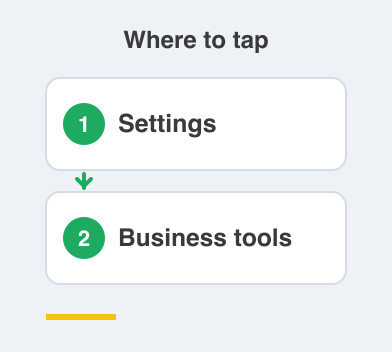
All three live under Settings -> Business tools.
Set all three up in one sitting and be done with it.
Write the greeting first, then the away message, then your three quick replies.
Keep the wording plain and human, exactly how you would speak to someone at your counter.
Together, these tools make you look on the ball and buy back hours of your week.
Next up: labels, which turn your client chats into a free mini-CRM — a simple system for keeping track of customers.
Things to Remember
- Set a greeting message so first-time enquiries never sit unanswered.
- Tie your away message to your business hours and let it cover the evenings.
- Build quick replies for the three questions you answer most.
- Keep every message short and in your own voice.
- Find all three under Settings -> Business tools.