
Your Business lane is set up.
Now there is an awkward question.
What about the client chats still sitting in your personal WhatsApp?
Honest bit first: you cannot bulk-transfer chat threads between two numbers.
There is no button for it.
But you don't need to move them.
You redirect instead.
How do I tell people about the new number?
Announce your business number once, properly.
Send your work contacts a quick message from your personal WhatsApp: "Heads up, I now handle all work on [business number]. Please save it and message me there."
A broadcast list makes this one-and-done.
A broadcast list sends one message to many people individually, not as a group.
Nobody sees each other, and you type it only once.
What do I do next?
Start fresh in Business.
Open the Business app and message your active clients first.
The conversation then continues there from now on.
You are not recreating old chats.
You are only making sure the next message lands in the right place.
Then redirect the stragglers as they turn up.
When a work message lands on your personal number, reply with "Moving us to my work number, [number]".
Carry on in Business, and people learn very quickly.
What if I need an old conversation?
Export it.
Need a paper trail of an agreed price or a delivery date?
Go to Settings -> Export chat.
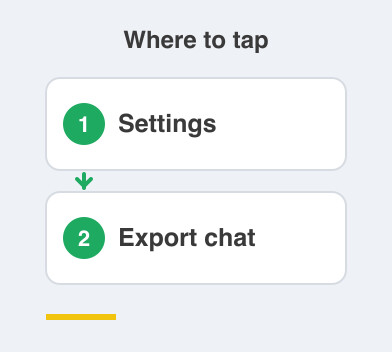
That saves the conversation to your email or your files.
It is how you keep the history, since the thread itself cannot move.
Do it for the handful of chats that genuinely matter.
How long does this take?
Give it a couple of weeks.
Don't force it into one day, and don't chase anyone who hasn't switched yet.
As clients message the new number, work drains out of your personal line.
Within a few weeks, every work chat lives in one clean, professional place.
And your personal WhatsApp finally stops being a work inbox.
That completes Lane 1.
Next comes Phase 3, building your everyday lane, the buffer that soaks up all the noise.
Things to Remember
- Accept that chat threads cannot be transferred between two numbers.
- Announce your business number once, using a broadcast list.
- Message your active clients from the Business app so the conversation continues there.
- Reply to stray work messages with a one-line redirect, every time.
- Use Settings -> Export chat to save the few old conversations you truly need.