
Think about the last stranger you gave your number to.
A delivery guy, a shop counter, a plumber, someone on OLX.
Now open WhatsApp and see what that person can see about you.
Your photo, your last seen, your About line, possibly your status.
On your everyday lane, none of that should be visible to anybody.
Two minutes in the privacy settings fixes it for good.
What exactly do I change?
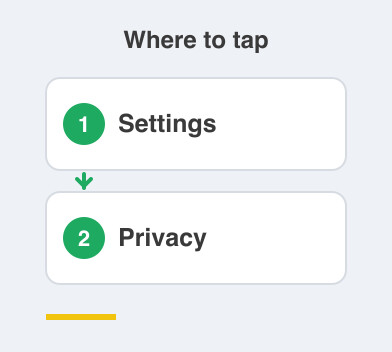
On this line, go to Settings -> Privacy and set the following.
Profile photo to Nobody, because a stranger does not need your face.
Last seen and online to Nobody, so nobody can track when you are active.
About to Nobody.
Read receipts off, so there are no blue ticks.
Who can add you to groups to My Contacts, which stops randoms dragging you into group spam.
Status to Nobody, or simply never post one here.
Isn't this a bit over the top?
It would be, on your real number.
But the logic here is simple, because this is a faceless buffer line.
The people who matter aren't on it, they're on Signal.
So there is no reason for this number to reveal anything to anyone.
A profile photo gives a stranger a face to attach to a name.
Last seen quietly tells them your daily routine.
Read receipts create pressure to reply to people you owe nothing.
Switch them off and the number becomes a doorbell rather than a window.
What do I lose by doing this?
Almost nothing, and that surprises people.
Turning off read receipts means you cannot see other people's blue ticks either.
That is the trade, and you will not miss it here.
Everything else works exactly as before.
Your OTPs still arrive and delivery updates still land.
You have only stopped broadcasting.
Is the everyday lane finished now?
It is, and it's worth pausing on what you have built.
It's set up, it's the number you hand out, it's silent, and now it's locked down.
All the world's noise has somewhere to go that isn't your real life.
Next comes Phase 4, Signal, the lane for the people who actually matter.
Things to Remember
- Open Settings -> Privacy on your everyday line, not on your real number.
- Set Profile photo, Last seen and online, About and Status to Nobody.
- Turn Read receipts off and live happily without blue ticks.
- Set Who can add you to groups to My Contacts.
- Treat this number as a doorbell, never a window into your life.