
Signal is private from the moment you install it.
That is the whole point of the app.
You do not have to configure anything to get it.
But there is a difference between private and properly sealed.
A handful of settings close the last few gaps.
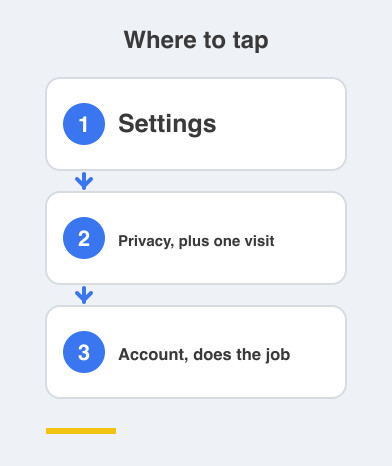
Two minutes in Settings -> Privacy, plus one visit to Settings -> Account, does the job.
What stops someone opening Signal on my phone?
Turn on Screen Lock.
Signal will then ask for your phone's passcode or fingerprint before it opens.
Even if someone is holding your unlocked phone, your private chats stay shut.
This matters more than people admit, because phones get handed around constantly.
Can I stop screenshots and previews?
Turn on Screen Security.
It blocks screenshots from being taken inside the app.
It also hides Signal's content in your app switcher.
Your chats no longer flash on screen while you move between apps.
Should my messages delete themselves?
Set a default for Disappearing messages.
One week is a good place to start.
New chats then clear themselves on a timer, so conversations stop piling up for years.
You can change the timer for any individual chat whenever you want.
It is the difference between keeping what you choose and hoarding everything by default.
What is Registration Lock, and why is it the big one?
Go to Settings -> Account and turn on Registration Lock.
It requires your PIN before your number can be registered on Signal anywhere else.
That one toggle blocks a SIM-swap attack.
In a SIM swap, someone talks your mobile operator into issuing a duplicate SIM for your number.
With Registration Lock on, holding your number is no longer enough to take over your Signal account.
If you only do one thing from this list, do this one.
Can I hide my IP address on calls?
Turn on Always relay calls.
Your Signal calls then route through Signal's servers instead of connecting directly to the other person.
They cannot see your IP address, which is the number identifying your internet connection.
Signal was already the most private lane you have.
Now it is locked down tight — your people, your conversations, sealed.
Things to Remember
- Turn on Screen Lock so Signal needs your passcode or fingerprint.
- Turn on Screen Security to block screenshots and app-switcher previews.
- Set Disappearing messages to a default such as one week.
- Turn on Registration Lock in Settings -> Account to stop SIM-swap takeovers.
- Turn on Always relay calls so nobody sees your IP address.