
Somebody has probably told you to "just get on Signal" by now.
You nodded, and then never got around to it.
Fair enough, because a new messaging app sounds like work.
It isn't.
Signal is free, the setup takes about five minutes, and it is refreshingly simple.
Here is the whole thing, step by step.
Which app am I actually looking for?
Open the Play Store or the App Store and search for Signal.
You want the blue icon with the white speech bubble.
Accept no imitations, because there are look-alikes with similar names.
Install it and open it.
Which number should I register?
Register your real, personal number, the one your close people already have.
This matters more than it sounds.
When your contacts join Signal, you will find each other automatically, because you already have each other's real numbers.
No new number to share and no awkward "what's your Signal ID" conversation.
Then verify with the OTP, exactly as you would with any other app.
One tap and you are in.
What is a Signal PIN, and do I need it?
Yes, and please don't skip it.
Your Signal PIN is a short code that secures your account.
It is also what lets you recover your profile and settings when you change phones or reinstall the app.
Skip it and you start from scratch later.
While you are there, turn on Registration Lock in Settings -> Account.
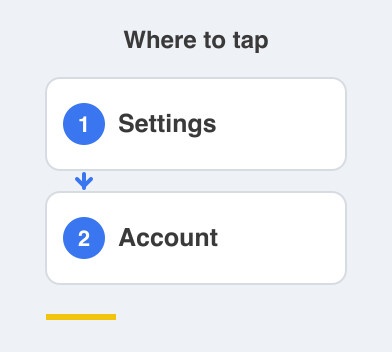
That is extra protection against anyone hijacking your number on Signal.
Two small settings, a lot of protection.
Should I use my real name and photo here?
This is the lovely part.
Your everyday line is deliberately faceless, with a plain photo and nothing personal.
Signal is the opposite.
Add your real name and a real photo, with no worries at all.
These are your people: family, your partner, close friends.
This is the one lane where being completely yourself is the entire point.
And that is the whole setup done.
You now have a private, encrypted, ad-free space, ready and waiting.
No algorithm deciding what you see, no ads, nobody reading over your shoulder.
It sits quietly until the people who matter message you.
Next comes bringing your inner circle across, without nagging anyone or losing touch.
Things to Remember
- Install Signal and check for the blue icon with the white speech bubble.
- Register your real personal number, not a spare one.
- Set a Signal PIN so you can recover your profile later.
- Turn on Registration Lock in Settings -> Account.
- Use your real name and photo here, because this lane is only for people you trust.