
You've made the move to Signal.
The app is installed, your number is verified, and a few chats have started.
Now spend five minutes turning on the settings that actually protect you.
Then forget about them.
Which settings matter most?
There are five, and each takes about a minute.
Disappearing messages auto-delete chats after a day or a week.
Settings -> Privacy -> Disappearing Messages.
Screen Lock asks for your fingerprint or PIN to open Signal.
Settings -> Privacy -> Screen Lock.
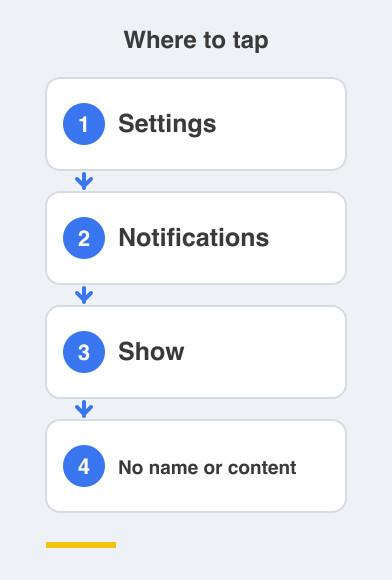
Hiding message previews keeps chat text off your lock screen.
Settings -> Notifications -> Show -> No name or content.
Registration Lock stops anyone moving your number to a new phone.
Settings -> Account -> Registration Lock.
Screen Security blocks screenshots and hides chats in the app switcher.
Settings -> Privacy -> Screen Security.
Why bother with disappearing messages?
Because most of what you send stops being useful within a day.
An address, a plan for the evening, a photo of a bill, a code someone read out to you.
Set a timer and the pile stops growing on its own.
Nothing you genuinely need is lost, because anything worth keeping belongs saved somewhere else anyway.
My phone already has a PIN, so why lock the app?
Because your phone spends a lot of its life unlocked and in other people's hands.
You pass it over to show a photo, or leave it face up on the table.
Screen Lock puts one more door in front of your messages.
Hiding previews does the same job from the outside, so an arriving message no longer announces itself to whoever is looking at your screen.
What does Registration Lock protect against?
Somebody taking your phone number and setting up Signal on their own device.
It can happen through a lost phone, a SIM swap, or a persuasive call to a mobile shop.
Registration Lock means a PIN is needed before your number can move anywhere.
It is the one setting that stops another person becoming you.
Do it once today and you're sorted.
Things to Remember
- Set disappearing messages on the chats you use every day.
- Turn on Screen Lock so a fingerprint or PIN opens Signal.
- Set notifications to "No name or content".
- Turn on Registration Lock and remember that PIN.
- Turn on Screen Security to keep chats out of the app switcher.