
Your phone does not need to follow you around with a map open.
It only needs to notice where it sits still.
What does my phone's location really give away?
Where your phone rests every night is your home.
Where it rests from nine to five is your work.
That is your address and your employer.
Worked out without anyone asking you a single question.
Nobody had to track you in the dramatic, film-style sense.
The pattern did the work.
What else can be worked out from a pattern?
Whichever phones yours is regularly near make up your circle.
The same handsets in the same restaurant every Sunday look like a family.
Two phones in the same room at odd hours look like a relationship.
A phone at a clinic every Tuesday morning says something about your health.
You never told anyone that.
None of that required reading a single message.
What exactly is metadata?
Metadata is the information around your communication rather than the content of it.
Not what you said.
But who you said it to, when, from where and for how long.
Think of a posted envelope.
The letter inside is sealed, but the addresses and the postmark are visible to everyone.
Companies collect the envelopes by the million.
The envelopes turn out to be enough.
Can I do anything about it?
You cannot stop a phone from connecting to mobile towers.
You can cut down what apps pile on top of that.
Go through the apps that hold location permission.
Be honest about which ones actually need it.
On iPhone: Settings -> Privacy & Security -> Location Services.
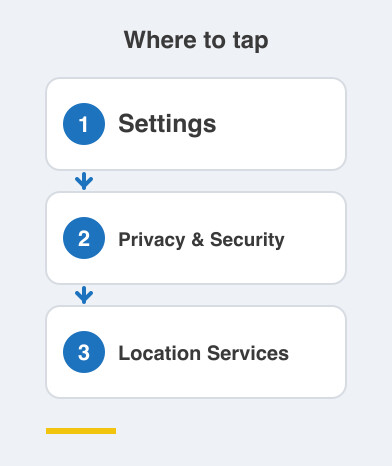
On Android: Settings -> Location -> App location permissions.
Set anything that is not a maps, cab or delivery app to ask you each time.
Or to work only while the app is open on screen.
Treat "allow all the time" as a rare exception, not the default answer.
Do the same for microphone and photos while you are there.
Those permissions age badly too.
You will not disappear, and that is not the goal.
The goal is to stop handing over a diary you never agreed to write.
Things to Remember
- Understand that your night-time and daytime locations reveal home and work.
- Set location permission to "while using" for every app that is not maps or delivery.
- Reserve "always allow" for apps that genuinely stop working without it.
- Remember that metadata is the envelope, and the envelope is often enough.
- Review your permission list every few months, not once ever.