
Most of us have received that forward warning about a WhatsApp hack.
Usually it is nonsense.
This one was not, and the number is genuinely hard to take in.
What was the number again?
Roughly 3.5 billion accounts.
That is not a typo, and it is not a subset.
It is close to every WhatsApp user alive.
Your own number is almost certainly one of them.
A single contact-discovery flaw let researchers pull metadata on almost all of them.
Contact discovery simply checks which of your saved numbers are already on the app.
Asked at enormous scale, that harmless question turned into a directory of the world.
Were my messages read?
No.
The encryption on your messages held, and that part of the system did its job.
Nobody sat reading your family group or your office chats.
What came out was everything around the messages rather than inside them.
Metadata, in other words: the information about your account rather than your conversations.
Then why does it matter?
Because metadata is not harmless leftovers.
Knowing a number exists on the app is enough to sort people into lists.
Lists get sold, scraped and reused for scam calls, phishing and targeted fraud.
Anyone who has taken a well-informed "bank" call knows how this ends.
The caller sounds believable because the small details are real.
The lesson underneath is bigger than one app.
Your data does not have to be hacked to leak.
Sometimes the design simply hands it over, politely, one lookup at a time.
What should I do now?
Do not panic and do not delete anything in a hurry.
Tighten what strangers can see, since that is the part actually exposed here.
In WhatsApp open Settings -> Privacy and set Profile Photo, About and Last Seen to My Contacts.
While you are on that screen, check who is allowed to add you to groups.
Turn on two-step verification at Settings -> Account -> Two-step verification.
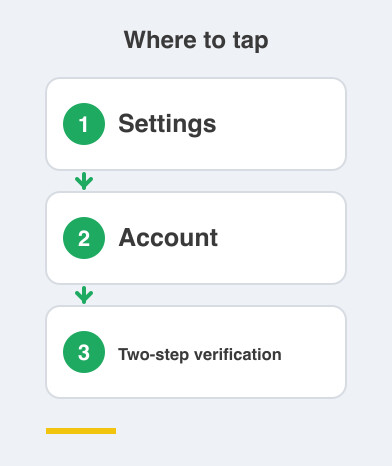
That stops anyone registering your number elsewhere.
Expect more scam calls and treat every unexpected one as a stranger until proven otherwise.
Never share an OTP, however convincing the caller sounds.
Tell the older people in your family the same thing today.
And when you next choose a messaging app, ask how much it collects.
Things to Remember
- Encryption protected the messages; it never protected the surrounding data.
- Set profile photo, About and Last Seen to My Contacts.
- Turn on two-step verification today.
- Treat unexpected calls and OTP requests as scams by default.