

You compared three televisions for a week and brought one home.
It does not look like the showroom.
Nothing is wrong with it.
The room it now sits in is doing most of the work.
How high and how far should the TV sit?
Sit on your usual sofa and look straight ahead.
Wherever your eyes land is where the middle of the screen should be.
Most televisions here are mounted far too high.
Usually the bracket went above a cabinet.
Looking up at a screen for two hours is tiring.
On many panels the picture also fades when viewed from below.
For distance, start at about one and a half times the screen width.
Sit much closer and you notice the flaws instead of the picture.
Sit much further and a large screen stops feeling large.
Why does it look washed out during the day?
Daylight on the screen lifts the blacks towards grey and drains the colour.
Direct sun is the worst case.
A bright window behind you is nearly as bad, because it reflects.
Look at the switched-off screen from your seat.
Whatever is mirrored there will sit on top of the picture all afternoon.
Turning the television away from the window does more than any setting.
A curtain drawn at two in the afternoon does the rest.
Which picture mode should I choose?
Most sets arrive in a shop mode called Vivid or Dynamic.
It was never meant for living rooms.
It pushes brightness and colour until faces look sunburnt.
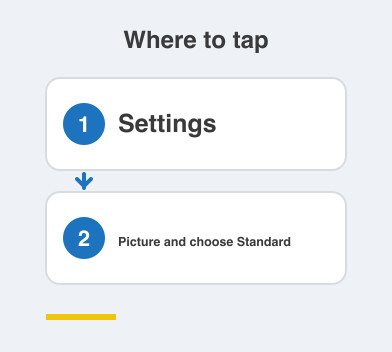
Go to Settings -> Picture and choose Standard for daytime.
Choose Movie or Cinema for evenings.
Movie mode looks warmer and yellower at first.
Your eyes are simply used to the harsh setting.
Give it two or three days before you judge it.
What is that strange smooth motion?
Films look oddly smooth on many new televisions.
Almost like a video shot on a phone.
That is motion smoothing.
The set invents extra frames between the real ones.
It is useful for live sport.
It is unpleasant for nearly everything else.
Look under Settings -> Picture for anything with motion in its name.
Turn it off, watch a film, then decide.
Things to Remember
- Put the centre of the screen at eye level from where you sit.
- Check what the switched-off screen reflects before fixing its position.
- Move out of Vivid mode on the first day.
- Give Movie mode a few days before judging the warmer colour.
- Turn motion smoothing off unless you are watching sport.