

The phone rings at nine on a Sunday.
The news channel has vanished again.
Nothing has broken.
The television is simply set up for you and not for them.
Why do they always call about the remote?
Because there are usually three of them on the table.
One came with the television, one with the set-top box, one with the streaming stick.
Each switches on a different thing.
Each needs the television set to a different input.
Input means which socket the television is listening to, shown as HDMI 1, HDMI 2 and so on.
Press the wrong button and you get a black screen with a message nobody reads.
That black screen is what the phone call is really about.
How do I get it down to one remote?
Most televisions from the last few years can control a connected box through the HDMI cable.
Look under Settings for HDMI-CEC.
Brands rename it to things like Anynet, Bravia Sync or SimpLink.
Turn it on for the television and for the connected device.
One remote will then usually handle both.
Next, set the default input so the set wakes on the source they use most.
Put the spare remotes in a drawer rather than on the table.
If two remotes are unavoidable, mark them with coloured tape.
Write on the tape in large letters.
What should the home screen look like?
Fewer things, bigger, and always in the same place.
Move the two or three apps they use to the front of the row.
Hide the rest.
Turn off autoplay previews.
A trailer starting on its own reads as something going wrong.
Go to Settings -> Accessibility and turn on larger text if your set offers it.
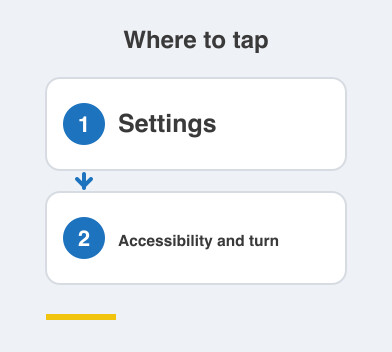
If the on-screen guide can stay visible for longer, increase that time.
Then let them do the whole thing once themselves while you watch quietly.
What is worth writing down for them?
One sheet, printed large, stuck near the television.
Write the exact button presses in order.
Not descriptions of what to do.
Cover the news channel, the one app they use, and what to do when the screen goes black.
Add switching it off at the mains and on again as the last resort.
Put your own number at the bottom.
They will feel better knowing it is there.
Things to Remember
- Turn on HDMI-CEC so one remote does the whole job.
- Set the television to wake on the input they use most.
- Cut the home screen down to the apps they actually open.
- Turn on larger text and switch off autoplay previews.
- Stick a large-print sheet of exact button presses near the television.