
Somebody signed up for one month to watch one series.
That was two years ago.
The money still leaves the account every month.
Most households have no real idea what their television costs them.
Where did all these subscriptions come from?
Each one arrived for a single reason.
Usually a show everybody was discussing.
Nobody sets out to buy five apps.
You sign up five separate times for one show each.
Free trials are the other route.
They ask for a payment method first, then renew silently.
Many were bought inside a phone app store.
So the charge shows up under Apple or Google, not the app's own name.
Some arrive bundled with a mobile or broadband plan.
Nobody counts those as spending at all.
That is why the total stays invisible.
How do I find out what I am paying for?
Start with the phone, because that is where most of them began.
On iPhone, open Settings -> your name -> Subscriptions.
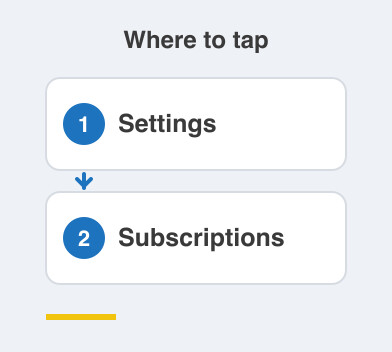
On Android, open the Play Store, tap your picture, then Payments and subscriptions -> Subscriptions.
Both list renewal dates, and the dates are usually the shock.
Next, read three months of bank or card statements.
Mark every entertainment charge you find.
Statements catch the ones bought on a website rather than a phone.
Finally, open your mobile operator's app and see what is already included.
Write the whole lot on one sheet.
Put the renewal date beside each name.
Is rotating apps worth the bother?
Rotating means keeping one or two apps at a time.
You switch once you have finished.
It suits households that binge a series, then lose interest for weeks.
The catch is the pricing.
Yearly plans usually work out cheaper per month than monthly ones.
So rotating costs more for each month you use.
It also depends on somebody remembering to cancel.
That is the step that quietly fails.
If nobody will do the cancelling, rotating is not for your house.
Which kind of plan suits our house?
Count how many screens really watch at once on a normal evening.
Most families pay for more simultaneous streams than they ever use.
Check whether you are paying extra for 4K.
Plenty of homes do, on a television that is not 4K.
And check your operator bundle before renewing anything directly.
Things to Remember
- List every subscription with its renewal date on one sheet.
- Check phone store subscriptions and card statements, as they show different things.
- Count how many screens really watch at once before choosing a tier.
- Look for apps already included with your mobile or broadband plan.
- Set a reminder two days before any renewal you are unsure about.