
The picture is lovely.
But pressing the home button takes three seconds to do anything.
Apps open slowly, the grid stutters, and the set was bought only last year.
Nothing is broken.
This is simply how most affordable smart TVs are built.
Why is my TV slower than my phone?
A smart TV is a computer with a screen.
The computer part is the cheapest part.
Manufacturers spend the money on the panel.
That is what you judge in the showroom.
What is left buys a modest processor and a little memory.
Memory here means RAM.
That is the working space an app needs while it is open.
With very little of it, the television keeps closing apps and reloading them.
That reloading is what you feel as waiting.
A phone of similar price is built the other way round.
It spends far more of its budget on these parts.
What is filling up the home screen?
Switch on a new television and the home screen is already full.
Recommendations, trailers that play by themselves, sponsored tiles, apps you will never open.
Every one of those rows is fetched over your internet connection each time.
So the home screen is working before you press anything.
Many sets let you hide rows and stop previews under Settings -> Home screen.
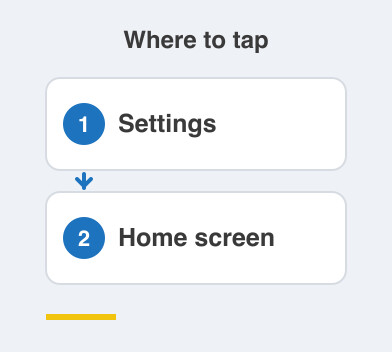
That one change often makes the whole television feel calmer.
Does it get worse as the years pass?
Usually yes, and not because the hardware is wearing out.
Apps grow heavier with every update.
The processor inside stays exactly as it was.
Storage also fills with app data.
A full television slows down like a full phone.
After three or four years it can feel slower than the day it arrived.
How do I make it bearable again?
- Switch it off at the mains once a week, not standby.
- Uninstall apps nobody opens, under Settings -> Apps.
- Clear the cache of the slowest app in that same menu.
- Turn off autoplay previews and hide the rows you never use.
- Add a streaming stick and let the television be only a screen.
That last one is the honest fix.
A small stick usually has a newer processor than your television.
It also costs far less than replacing the set.
Things to Remember
- Blame the cheap computer inside, not the picture panel.
- Turn off autoplay previews and trim the home screen.
- Remove unused apps, then clear the cache of the slow ones.
- Restart the television properly once a week.
- Try a streaming stick before you consider a new television.