
Your phone slips out of your pocket in an auto.
You are not thinking about the handset.
You are thinking about everything the handset can pay for.
That fear deserves twenty minutes of your time, once.
Set this up today and a lost phone becomes a nuisance, not a disaster.
Which account should I link?
Not the one holding your savings.
Most banks let you open a second savings account.
That is the one to link to your UPI apps.
Keep a working balance in it, enough for a month of shopping and bills.
Leave the rest where UPI cannot reach it.
Top it up when it runs low, like refilling a wallet.
Now whatever a thief can reach is only ever the small account.
Many apps also offer UPI Lite, a small on-phone balance spent without a PIN.
It is convenient, so keep the amount in it genuinely small.
What stops someone opening the app?
Two locks, and you want both.
The first is the phone's own screen lock.
Use a PIN you have not used anywhere else.
Avoid your birth year, and avoid your building number.
The second lock sits inside the payment app itself.
Look under the app's Settings -> Security section and turn on the app lock.
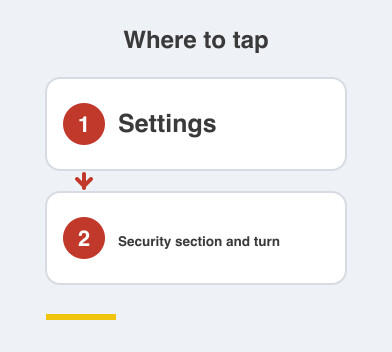
Now an unlocked phone still does not open your payments.
Fingerprint or face unlock works here, and it is faster than typing.
Should I lower my payment limit?
Yes, and almost nobody does.
Your daily limit is set far above anything you will spend.
Look in your payment app or bank app for the UPI limit.
Bring it down to something that fits your actual life.
Raise it for the one day you need it, then put it back.
A low limit turns a stolen phone into an annoying afternoon.
What do I do the minute the phone goes missing?
Call your mobile operator first and block the SIM.
The SIM is what receives your OTPs.
Then call your bank and ask them to disable UPI on your account.
From any laptop, sign in to your Google or Apple account.
Use the find-my-device page to lock and erase the handset.
Then report the lost phone on the government's Sanchar Saathi portal.
That blocks the handset itself, not just the SIM.
Do these four in order and there is very little left to steal.
Things to Remember
- Link a small second account to UPI, never your main savings.
- Turn on both a phone lock and an in-app lock.
- Lower your daily UPI limit to what you actually spend.
- Block the SIM first if the phone goes missing, then call the bank.
- Save your bank's number somewhere other than the phone.