

We have all downloaded an app, used it twice, then forgotten it.
A tool is only useful if you actually reach for it.
So once Claude is on your phone, make it instant to open.
Two minutes of setup is all it needs.
Here are five ways, and you only need one or two.
None of them need anything you do not already have.
Can I keep it on my home screen?
Yes, with a widget, a small app panel that sits on the screen.
Long-press your home screen -> tap + -> search Claude -> add it.
Now it is right there, with no hunting through pages of icons.
You can add one to your Lock Screen too.
That puts it in reach before you even unlock.
One tap and you are typing your question.
Can I open it without touching an icon?
Say "Hey Siri, Ask Claude..." followed by your question.
Siri hands it straight over to Claude.
Brilliant for the moments when your hands are full.
There is also Spotlight, the search built into your home screen.
Swipe down on your home screen, type "Claude", and you are in.
The same trick launches anything fast.
Is there a shortcut for text I am already reading?
This is the power move, and most people never find it.
Select text anywhere, then tap Share and choose Claude.
An email, a website, a WhatsApp message: all the same.
Then ask "summarise this" or "reply to this", with no copy-pasting.
It saves the most annoying step in the whole process.
No switching apps, and no losing your place.
What about that extra button on newer iPhones?
Newer iPhones have a side Action Button you can assign yourself.
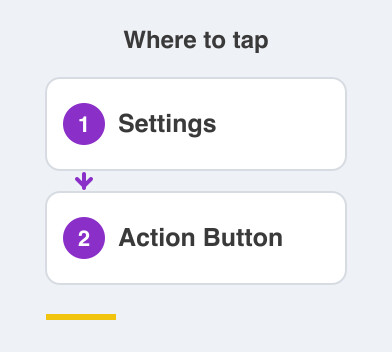
Go to Settings -> Action Button and set it to open Claude.
One press, straight into a fresh chat.
There is no icon to hunt for at all.
Pick one or two that fit how you use your phone.
Setting up all five in one evening is how people end up using none.
The point is simple enough.
When something is easy to reach, you use it.
Claude works best as an everyday habit, not an app you forget.
Things to Remember
- Add the widget first, since it is the one people stick with.
- Learn the Spotlight swipe-down, it speeds up your whole phone.
- Use Share -> Claude on text you are already reading.
- Set Settings -> Action Button only if your iPhone has one.
- Choose one or two shortcuts, not all five.