

Someone at dinner asks whether you have seen the show everybody is talking about.
You hunt for it on your set-top box and it simply is not there.
That is because it lives on the internet now, not on a channel.
What are Netflix, Prime Video and JioHotstar?
They are cable services that arrive over your internet connection instead of a cable wire.
You create an account, pay a monthly or yearly fee, and watch what you want when you want.
Some come free with things you already pay for.
Prime Video comes with Amazon Prime, and JioHotstar comes with several Jio plans.
Do I need to buy a new TV?
No.
Your old TV needs one small device plugged into its HDMI port.
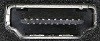
HDMI is that flat, wide socket at the back.
Your set-top box is already plugged into one of them.
Almost every TV sold in the last fifteen years has two or three.
That little device costs a fraction of a new smart TV.
Which device should I buy?
The Amazon Fire TV Stick is the cheapest way in.
Order it from your own Amazon account and it arrives already signed in.
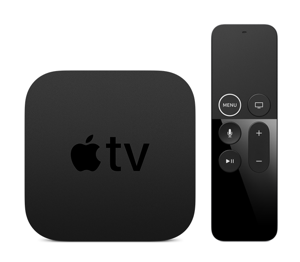
The Apple TV 4K is the expensive one, and the smoothest.
It is not a TV, just a small box.
It suits a house already full of iPhones.
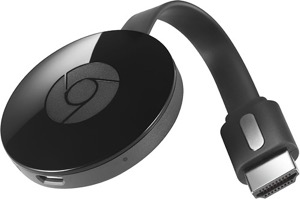
The Google TV Streamer is Google's own device.
It replaced the Chromecast, which Google has stopped making.
All three need the same three things: a free HDMI port, Wi-Fi and a plug point.
What is casting?
Casting means throwing a video from your phone onto the TV screen.
You start the app on your phone, play something, then tap the cast symbol.
Pick your TV from the list and the video jumps to the big screen.
YouTube and most Google TV devices still handle this beautifully.
Netflix dropped casting from its app years ago.
So treat casting as a bonus, not your main plan.
What if my internet is slow?
You need a steady connection more than a fast one.
If the picture keeps stalling, lower the video quality inside the app.
Blame the connection before you blame the device.
Things to Remember
- Check for a spare HDMI port and a spare plug point behind the TV.
- Start with a Fire TV Stick, the cheapest way to try all this.
- Choose Apple TV only if your family already lives on iPhones.
- Pay for one subscription at a time.
- Keep your Wi-Fi router near the TV for a steadier picture.