
You log in to your bank and a six-digit number arrives by SMS.
That little number is doing more work than you think.
A password on its own stopped being enough a long time ago.
Passwords leak in company breaches, and most of us reuse the same one everywhere.
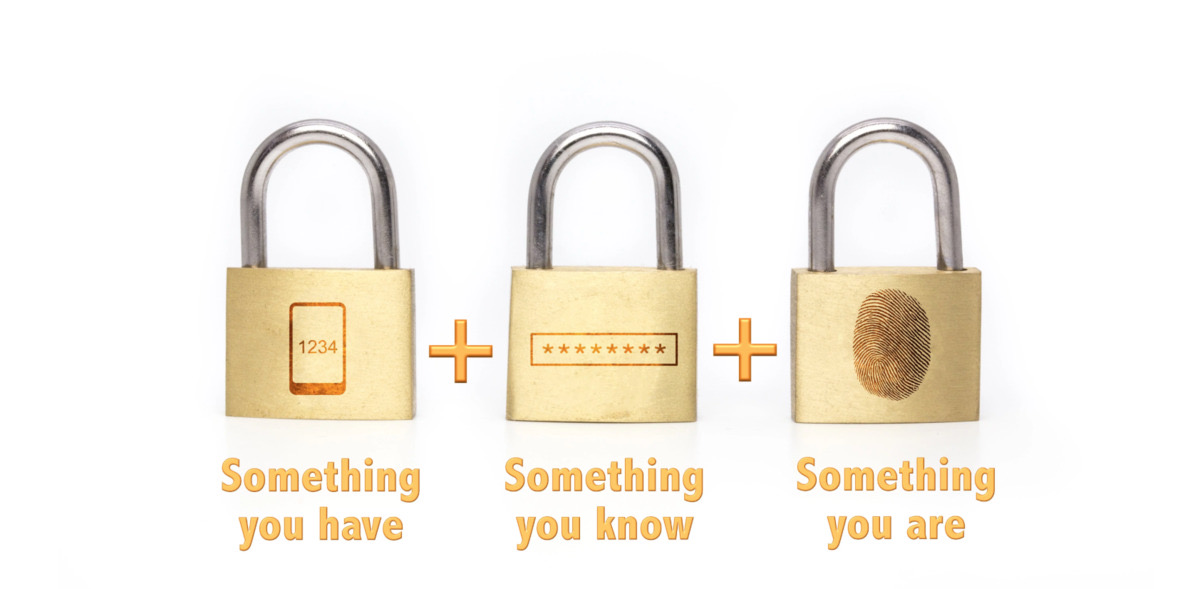
Multi-factor authentication simply means proving who you are in more than one way.
There are three ways to prove it.
Something you know
Your password, your PIN, the answer to a security question.
On its own this is the weakest factor.
Anything you know can be guessed, leaked or handed over.
Something you have
Your phone, mostly.
The bank sends an OTP (one-time password) by SMS and you type it in.
It works, but SMS is the weakest version of this.
A fraudster who takes over your mobile number gets your OTPs too.
An authenticator app is better.
It shows a fresh code every thirty seconds, generated on the phone itself.
Google Authenticator and Microsoft Authenticator are free, and most password managers include one.
Google makes it easier still.
Sign in on a new laptop and your phone simply asks you to tap yes.
Apple does the same for your Apple Account, which is what the Apple ID is now called.
Something you are
Your fingerprint, or your face.
Face unlock and fingerprint unlock are on almost every phone sold today.
What about passkeys?
This is the newer option, and it is worth switching to.
A passkey replaces the password completely.
The key lives on your phone or laptop, and your face or fingerprint unlocks it.
There is nothing to type, so there is nothing to steal or phish.
Google, Apple, Microsoft, WhatsApp and a growing number of Indian apps support them.
Do I need this?
Yes, and you are already using it.
A card payment in India needs a second factor, which is why that OTP arrives.
The rules now allow other methods too, like a fingerprint or an approval in the bank's app.
Two factors is the sweet spot.
Three is for spies.
Start with your email, not your bank.
Whoever controls your email can reset every other account you own.
Open Google Account -> Security -> 2-Step Verification and switch it on.
Things to Remember
- Turn on two-factor authentication for your email account before anything else.
- Prefer an authenticator app or a passkey over an SMS OTP.
- Save your backup codes somewhere offline, like a diary at home.
- Never read out an OTP to anyone who calls you, however official they sound.
- Lock the phone itself with a fingerprint or face, not just the apps.