

Your phone rings at eleven in the morning.
It is a recorded voice offering you a personal loan you never asked for.
By lunch there are three SMSes about flats in a city you don't live in.
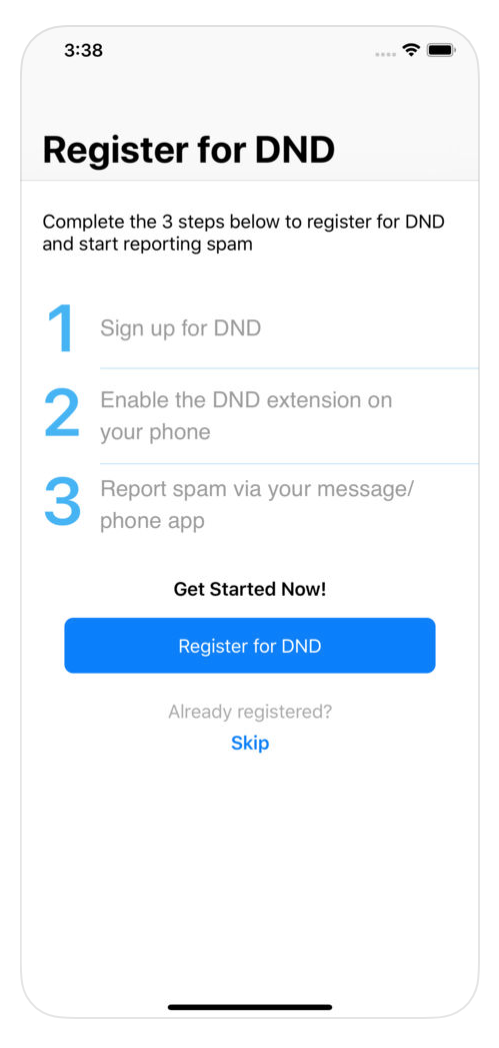
You are not imagining it, and you are not alone.
Isn't DND supposed to stop this?
DND is short for Do Not Disturb.
It is a register run by TRAI.
That is the Telecom Regulatory Authority of India.
Once you are on it, registered companies may not market to you.
It works on the honest ones and does nothing to the rest.
How do I get on the DND list?
SMS START 0 to 1909 from the number you want protected.
That is the full block, across every category.
Prefer to keep a few? Send START with the category number instead.
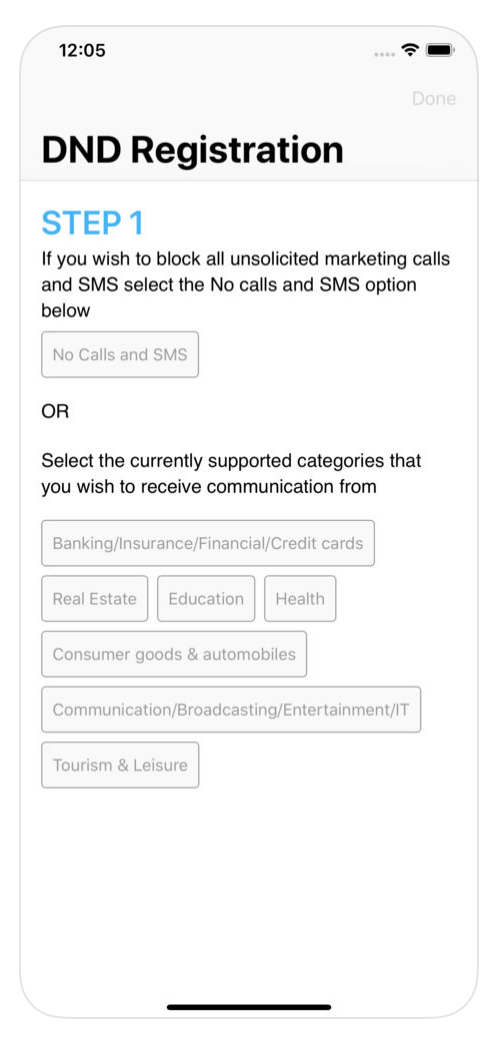
Airtel, Jio, Vi and BSNL all offer the same setting in their apps.
Your OTPs and bank alerts still come through.
How do I complain when they call anyway?
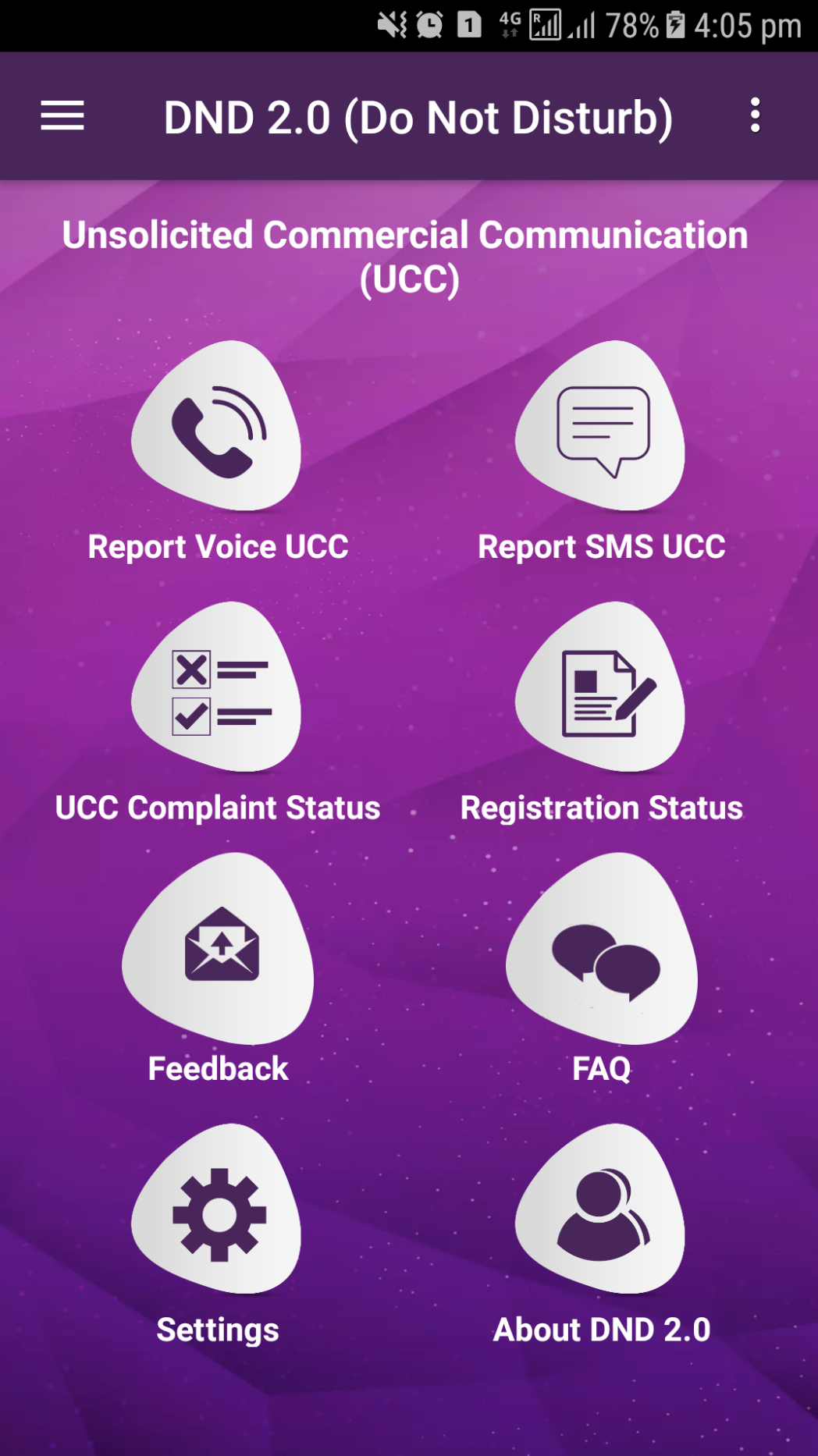
Use the TRAI DND app, your operator's app, or an SMS to 1909.


Report the offending number and roughly what was said.
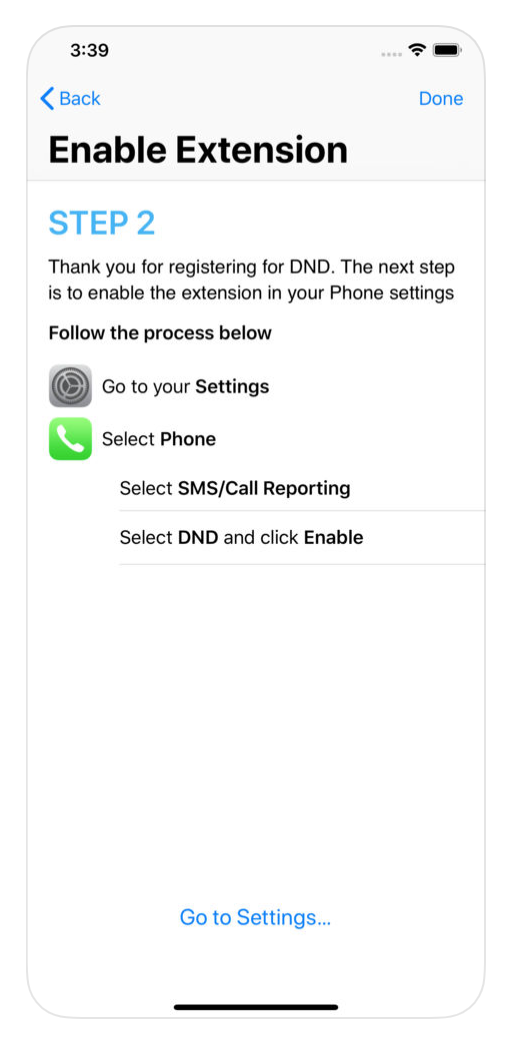
Two things have improved since I first wrote this post.
You now get about a week to report it, not the old three days.
And you need not be on the DND list first to complain.
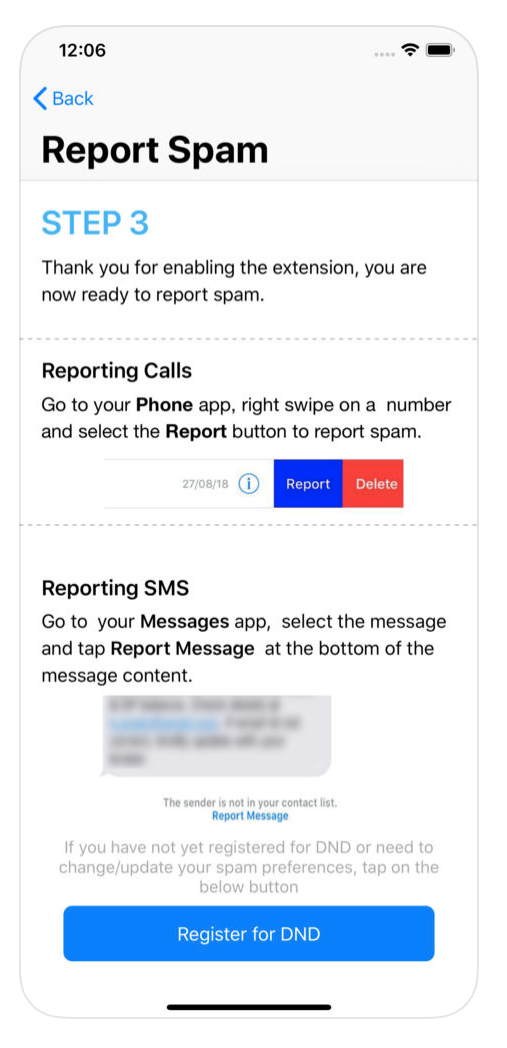
How do I spot a genuine call?
Look at the number before you pick up.
Registered telemarketers must call from a number starting 140.
Banks and other regulated companies now call from numbers starting 1600.
Treat anything else claiming to be your bank as suspicious.
What can my phone do on its own?
On an iPhone, switch on Silence Unknown Callers under Settings -> Phone.
In your Messages settings, switch on Filter Unknown Senders too.
On Android, open the Phone app settings and turn on spam protection.
These work from today, while TRAI does its slower work.
What if it is a fraud, not an advert?
Report it on Sanchar Saathi, the government's own portal and app.
Its Chakshu section is meant for suspected fraud calls and messages.
It also shows how many SIM cards are registered in your name.
Things to Remember
- SMS START 0 to 1909 today, from every number in the house.
- Report the number within a week, or it will be rejected.
- Read the number before you answer. 140 is a telemarketer, 1600 is a regulated company.
- Turn on your phone's own spam filters. They start working straight away.
- Send anything that smells like fraud to Chakshu on Sanchar Saathi.