
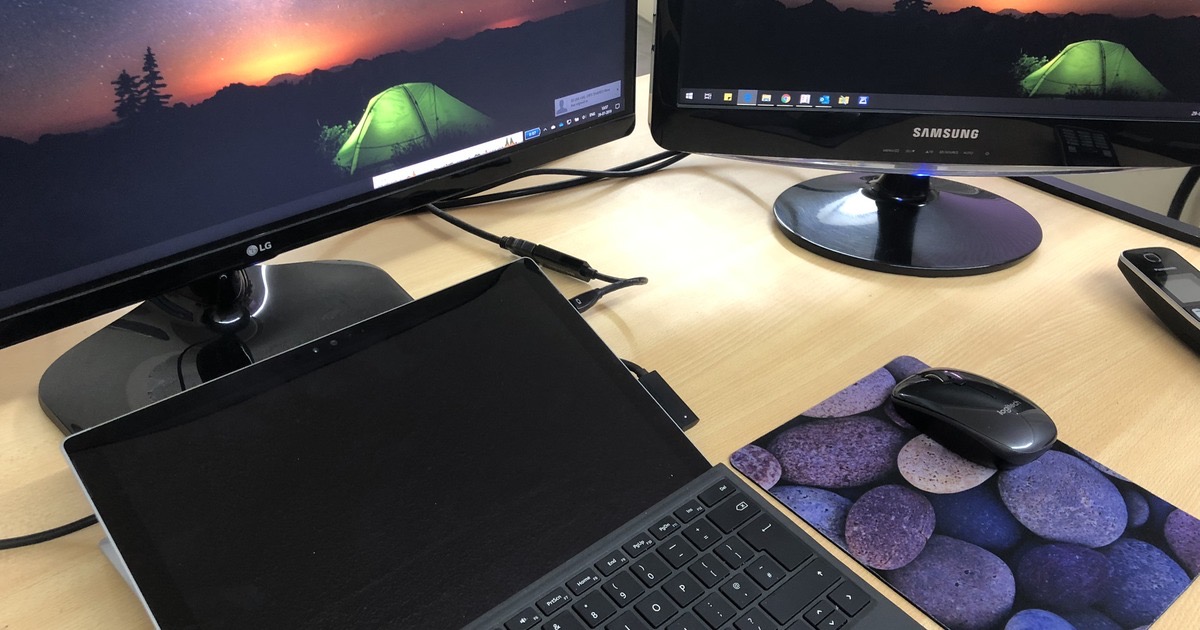
Most of us now do all our work on a laptop, at the office and again at home.
By evening the neck is stiff, the eyes are tired, and half the day went in switching between windows.
What is wrong with the laptop screen?
Nothing, except that it is small and it sits too low.
Laptop screens run from about 11 to 17 inches.
As they get sharper, the text on them keeps getting smaller.
You can make the text bigger, but then there is no room left to actually work.
Why does my neck hurt?
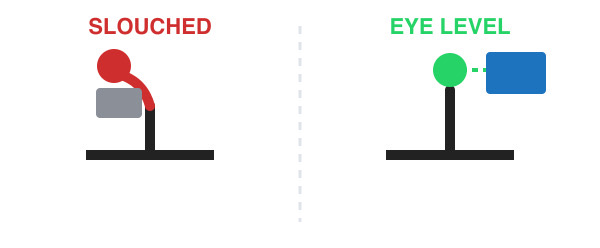
Because the screen is joined to the keyboard, you spend the whole day looking down at it.
Hold that angle for eight hours and your neck and back will tell you about it.
The top edge of the screen should sit roughly at eye level.
A laptop lying flat on a desk cannot do that.
Do I really need a second screen?
If you spend more than two hours a day at the laptop, yes.
Most office work is comparing two things: a mail and a document, a spreadsheet and a browser tab.
On one small screen you switch between them all day, and every switch costs you a little attention.
On a big screen you simply put them side by side.
What should I buy?
A 24-inch or 27-inch monitor is the sweet spot for desk work.
Prices have come down a lot since I first wrote this.
Check the connection next.
HDMI works with almost everything.
USB-C is neater, because one cable carries the picture and charges the laptop too.
Buy a stand that moves up and down, or budget for a separate monitor arm.
Gaming features like a high refresh rate cost extra and do nothing for email, so ignore them.
Amazon.in will show you a dozen sensible options from the usual brands.
How do I use two screens?
Plug it in and your laptop will ask whether to mirror or extend.
Choose extend, which gives you extra desk space instead of a copy of the same screen.
On Windows, hold the Windows key and press the left or right arrow.
The window snaps neatly to half the screen.
On a Mac, drag a window to the edge of the screen and it tiles itself.
Things to Remember
- Raise the screen until its top edge meets your eye level.
- Once the screen goes up, add a separate keyboard and mouse.
- Pick 24 or 27 inches, an adjustable stand, and HDMI or USB-C.
- Choose Extend, not Mirror.
- Look at something far away every twenty minutes.