

Losing your WhatsApp chats is genuinely awful.
Years of conversations, photos and voice notes, gone in a second.
A dropped phone, a failed update, a theft outside the station, and that is that.
The good news is that setting this up properly takes about two minutes.
Where is the backup setting?
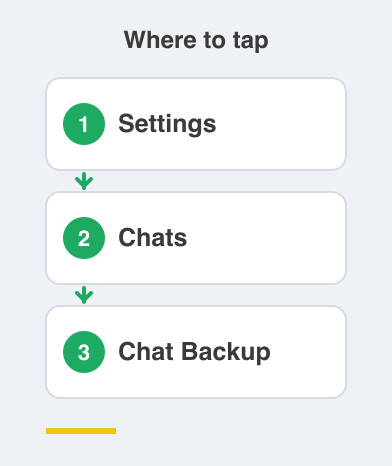
On both phones, open WhatsApp and go to Settings -> Chats -> Chat Backup.
The first thing you will see is the date of your last backup.
Ideally that says today or yesterday.
If it says "Never", nothing has ever been saved.
Do it before you put the phone down.
What should I set on Android?
Your backup goes to Google Drive, tied to whichever Google account you choose.
Set the backup frequency to Daily.
Pick the right account if you have more than one.
Choose to back up over Wi-Fi only.
Then it never quietly eats your Jio or Airtel data.
Leave "Include videos" off unless you really want them.
Videos are what turn a small backup into an enormous one.
What about iPhone?
Your backup goes to iCloud, using the Apple Account signed in on that phone.
Set Auto Backup to Daily and make sure iCloud Drive is switched on.
The free iCloud plan gives you 5 GB, which fills up faster than people expect.
So if a backup suddenly starts failing, storage is the very first thing to check.
Should I turn on the encrypted backup?
Switch it on and your backup gets locked.
Only you hold the password or the 64-digit key.
Not even WhatsApp can open it after that.
The catch is real.
Lose that password and the backup is gone forever, with no reset and no support desk.
Turn it on if you will genuinely store the password somewhere you can find again.
Leave it off if you know you will not.
Either way, plug the phone in and tap Back Up Now.
Get one fresh copy today.
Be patient with the first one.
Depending on the size of your chats, it can take ten minutes.
Or a couple of hours.
Things to Remember
- Check the last backup date today at Settings -> Chats -> Chat Backup.
- Set the backup to Daily and leave it alone after that.
- Back up over Wi-Fi with the charger plugged in.
- Keep "Include videos" off unless you truly need them.
- If you switch on the encrypted backup, store that password where you will actually find it.